
IN THIS GUIDE
ToggleThe Salsa Engage Salesforce integration is one of the most powerful — and underutilized — tools available to nonprofit organizations today. For the most nonprofit leaders, daily reality looks something like this: your fundraising team closes a donation in Salsa Engage, but your development director can’t see it in Salesforce until someone manually exports a spreadsheet — hours or days later. Your data is fragmented, your team is frustrated, and your donors are falling through the cracks.
THE BIG PICTURE
Why a unified system changes everything
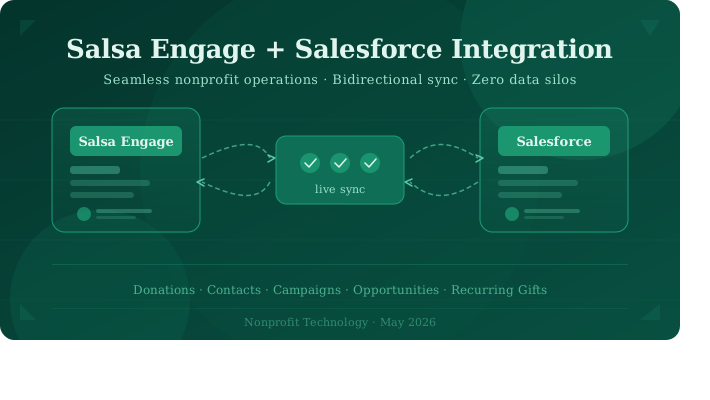
When Salsa Engage and Salesforce are properly connected, your organization gains a live, unified view of every supporter. Donations, advocacy actions, event registrations, and email engagement flow into the Salesforce automatically — and Salesforce contact updates flow right back into Engage. Your CRM becomes the single source of truth it was always meant to be.
5 min
Minimum sync frequency between platforms
Zero
Third-party middleware required for core sync
2-way
Bidirectional data flow — no one-sided updates
How it works
The sync in plain language
❤️
Donor gives online
Gift processed in Salsa Engage fundraising form
♻️
Auto-sync fires
Integration pushes donation to Salesforce as an Opportunity
📊
CRM updates live
Contact record, campaign, and opportunity all linked instantly
Each donation in Salsa becomes an Opportunity in Salesforce, linked to the corresponding Contact and Campaign. Recurring gifts are tracked in a dedicated custom object, so your major gifts team can see the full commitment — not just individual transactions.
Executive insight: Every activity page you publish in Salsa Engage — whether a fundraising form, advocacy action, or event — automatically creates a matching Campaign in Salesforce. Supporters who engage become Campaign Members. This means your Salesforce reports finally reflect the full picture of donor engagement, not just payments.
TECHNICAL DETAILS
What actually syncs — and how
| Salsa Engage data | Salesforce object | Direction |
|---|---|---|
| Supporter record | Contact | Bidirectional |
| One-time donation | Opportunity | Engage → SF |
| Recurring donation | Opportunity + custom object | Engage → SF |
| Activity / advocacy form | Campaign + Campaign Member | Engage → SF |
| Event registration / ticket | Opportunity + Event Submission object | Engage → SF |
| Salesforce contact updates | Supporter record in Engage | SF → Engage |
| Offline donations (entered in SF) | Engage donation record | SF → Engage |
Under the hood: The integration uses the Salesforce Bulk API for large dataset transfers (default batch size:
150 records) and the standard REST API for ongoing updates. Sync frequency is configurable — as frequent as every5 minutes— and Salesforce API call consumption is manageable through batch size controls in the Engage admin panel.
Duplicate prevention
Smart contact matching — no more duplicate records
One of the most common fears executives have about integration is creating a mess of duplicates. Salsa Engage addresses this with a multi-stage matching engine built on Salesforce’s native duplicate detection tools.
- New supporter detected — When a new supporter submits a form in Engage, rather than immediately creating a new Salesforce Contact, the record is staged in a custom queue called the Salsa Engage New Supporter Queue.
- Matching rules applied — The integration checks for an exact match on Last Name + Email, and a fuzzy match on First Name. If a single match is found, it auto-links to the existing Contact.
- Admin review for ambiguous cases — When multiple potential matches exist, a Salesforce admin reviews and resolves the record from within the queue. Once resolved, all associated donations and activity data flow through automatically.
- Exclusion rules supported — Contacts marked “Do Not Synchronize with Engage” are always excluded from sync — important for organizations that track both donors and service recipients in Salesforce
Getting started
What setup looks like for your team
The integration is installed via Salesforce’s AppExchange and configured primarily within Salsa Engage — meaning your Salesforce admin doesn’t need to build anything custom. It works with all standard Salesforce editions and fully supports the Nonprofit Success Pack (NPSP).
NPSP users: When NPSP is installed, the integration automatically sets the Primary Contact Role and Account Name on all Opportunities created through Salsa — preserving your existing data model and reporting structure without any manual mapping.
Field mapping between Engage supporter fields and Salesforce contact fields is managed through a visual interface — no code required. Custom fields you’ve added to your Salesforce Contact object can be mapped to custom Engage supporter fields, giving you full flexibility without custom development.
Ready to connect your systems?
Our nonprofit integration specialists can assess your current setup and map out a zero-disruption migration path.
Related posts:
- Empower Your Partners and Customers to Seamlessly Access Your Salesforce via Experience Cloud
- CRM 2024 Trends: Salesforce For Manufacturing Companies
- Salesforce Spring ’24 Release Unveils Transformative Features for Nonprofit Cloud Administrators
- The Complete Guide to Salesforce Flow for Business Automation