
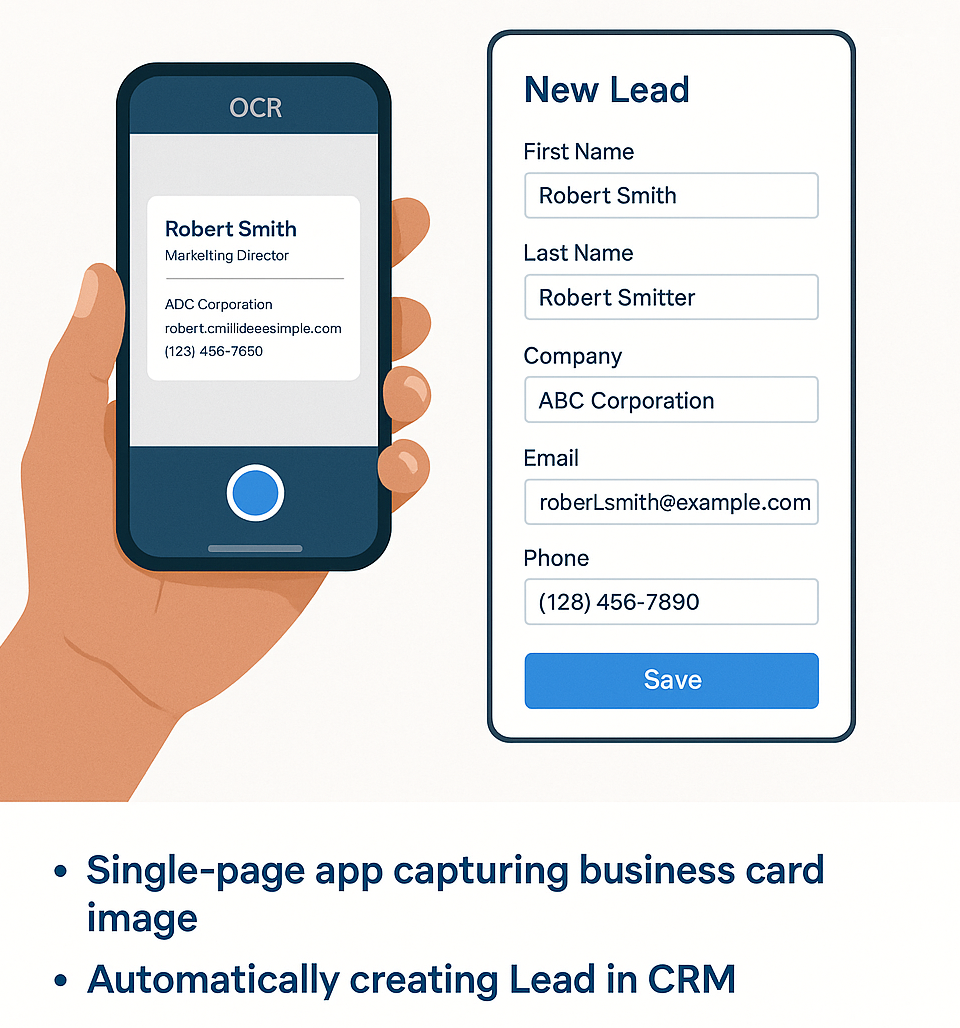
The Pain Point — Manual Entry of Visiting Cards
Why Events Create a Lead Management Nightmare
In today’s fast-paced business world, connections are everything. Our client regularly participates in industry events, conferences, and networking meetups — meeting hundreds of prospects in a matter of days. Naturally, they collect just as many business cards.
But here’s the problem: turning those business cards into actionable data in Salesforce CRM is a time-consuming, manual process. One that often ends up delayed, deprioritized, or worse — forgotten.
Manual Entry — Human Errors and Missed Opportunities
Aside from being time-intensive, manual entry leads to common errors like:
A lot of times – sometimes impossible to add hundreds of visiting card manually
Misspelled names
Incomplete contact data
Wrong email addresses
Skipped cards due to fatigue
Our Breakthrough: A Smart Lead Capture App
- We developed a smart, single-page web application that allows users to snap a photo of a business card using their device’s camera, and with just one tap, create a new Lead directly in Salesforce.
- No typing. No scanning apps. No lost contacts.
🔍 How it works?
- Open the app on your phone or tablet.
- Take a picture of the business card.
- The app uses OCR (Optical Character Recognition) to extract key details.
- It automatically maps the data to Salesforce Lead fields.
- A new Lead is created instantly — ready for follow-up.
💡 Why it’s a game-changer
Saves hours of manual data entry.
Ensures no lead slips through the cracks.
Provides real-time sales pipeline updates.
Keeps your CRM clean, organized, and up to date — straight from the event floor.
This is more than just a tool — it’s a productivity boost, a data hygiene win, and a big step toward smarter, more agile sales processes.
We’re proud of how simple yet powerful this solution turned out to be — and even more proud of the real-world impact it’s having for our customer.
Got a similar challenge? We’d love to help you solve it.
Technical Architecture of the Solution
💡 Single Page App | No Login Required | Mobile Accessible
- Single Page using LWC and Hosted on Salesforce site.
- Globally available without login required.
- Responsive and mobile friendly user experience
📷 Camera Access and Image Capture
Using native device camera access via HTML5 APIs, the app allows users to take high-resolution photos of cards without needing to install a separate mobile app.
🇴 OCR and Data Extraction Workflow
- We integrated Google Vision API – Optical Character Recognition (OCR) libraries
- Recognize text from varied fonts and styles and handle multilingual content
- Extract key fields based on layout and context.